xamarin/Xamarin.Forms
[Bug] CollectionView EmptyViewTemplate not resizing accordingly when using WindowSoftInputModeAdjust.Resize
Open
#6,850 opened on Jul 10, 2019
a/collectionviewe/4 :clock4:help wantedp/Androidt/bug :bug:up-for-grabs
Repository metrics
- Stars
- (5,644 stars)
- PR merge metrics
- (No merged PRs in 30d)
Description
Description
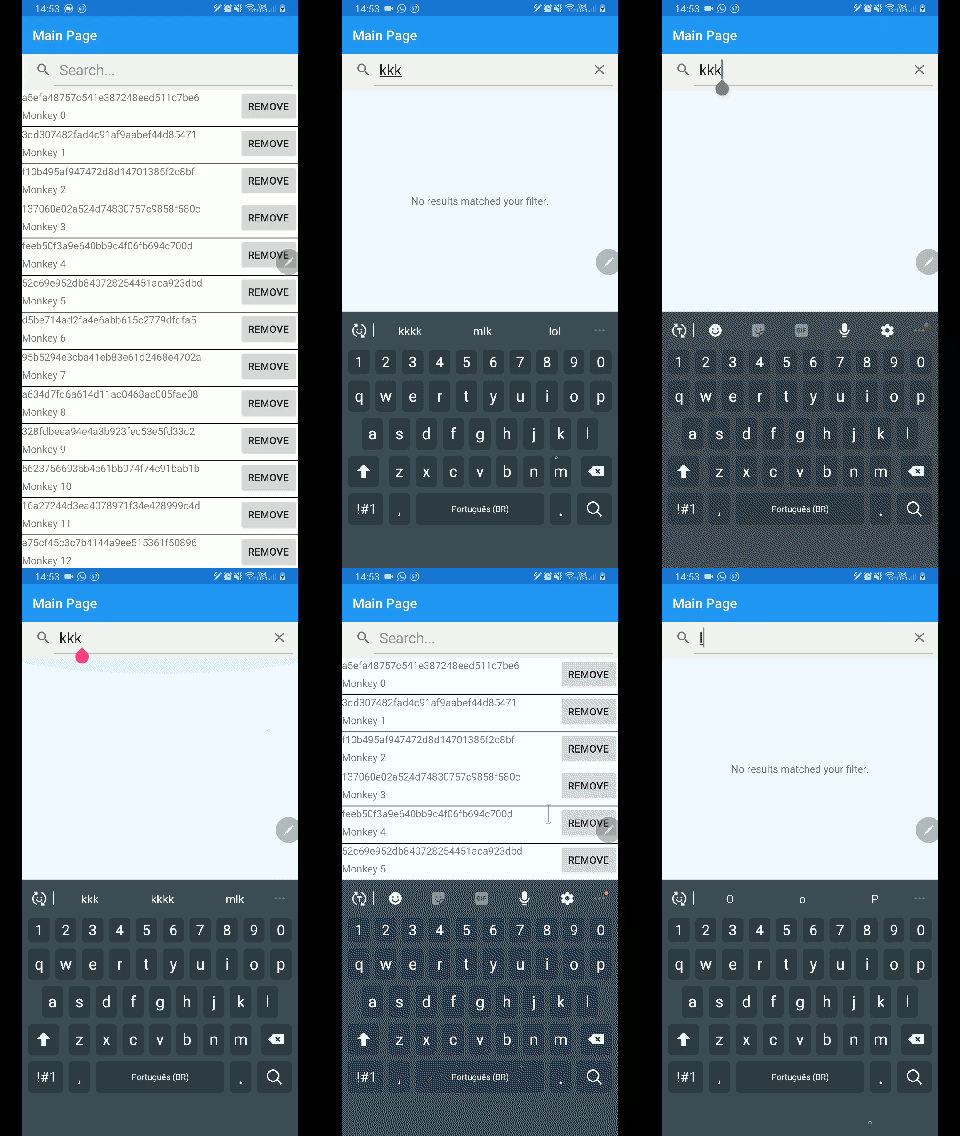
CollectionView provides an EmptyViewTemplate to deal with empty datasource. However, when using WindowSoftInputModeAdjust.Resize (i.e., Android only), the provided EmptyView won't resize accordingly.
Steps to Reproduce
- Create a new ContentPage.
- Add a SearchBar.
- Add a CollectionView with some random ItemsSource and provide a EmptyView / EmptyViewTemplate.
- Add some logic to handle Searchbar input and update the ItemsSource of the CollectionView.
- Run the application.
- Focus on the Searchbar and type anything that will result in empty data source.
- The EmptyView is correctly rendered, filling the available space.
- Now, unfocus the Searchbar (i.e. hide the keyboard). The EmptyView won't resize.
- If you focus again on the Searchbar (i.e. show the keyboard), the EmptyView will then be resized and fit all the screen and part of the EmptyView will be under the keyboard.
Expected Behavior
The provided EmptyViewTemplate should be resized to fill all the available space.
Actual Behavior
The provided EmptyViewTemplate is not resized.
Basic Information
- Version with issue: 4.1.0.581479
- Platform Target Frameworks:
- Android: 9.0
Screenshots