
MasterDetail Page IsPresented and MasterBehaviour not behaving as Expected.
#4,623 opened on Dec 4, 2018
Repository metrics
- Stars
- (5,644 stars)
- PR merge metrics
- (No merged PRs in 30d)
Description
Description
Across all 3 platforms (UWP, iOS and Android) the MasterDetail page is buggy on setting the MasterBehaviour and IsPresented variable. If I change the MasterBehaviour variable for example from Split to Popover on Android, I can do this at runtime, but it will not let me change from Popover to Split at runtime. I amongst other Xamarin users in the forums expect this behaviour to be bug free. You should be able to change the MasterBehaviour variable at runtime and you should be able to change the isPresented variable at runtime also after changing the MasterBehaviour to Popover.
Steps to Reproduce
On Android:
- Create new Master Detail project with Xamarin Forms set MasterBehaviour to Split
- Change MasterBehaviour after delay of 5 seconds to Popover
- Delay of 5 seconds
- Change IsPresented to false
- Delay of 5 seconds
- Change MasterBehaviour to Split
- Delay 5 seconds
- Change Master Behaviour to Popover
- Change IsPresented to False
- CRASH.
On UWP:
- Create new Master Detail project with Xamarin Forms set MasterBehaviour to Split
- Change MasterBehaviour after delay of 5 seconds to Popover
- Master behaviour does not change at all on UWP.
On iOS: Similar to android
Expected Behavior
I amongst other Xamarin users in the forums expect this behaviour to be bug free. You should be able to change the MasterBehaviour variable at runtime and you should be able to change the isPresented variable at runtime also after changing the MasterBehaviour to Popover.
Actual Behavior
Basic Information
- Version with issue: 3.40 and below
- Last known good version: N/A
- IDE: Visual Studio 2017
- Platform Target Frameworks:
- iOS: 11.1
- Android: 8.1
- UWP: 16299
- Android Support Library Version:
- Nuget Packages: None.
- Affected Devices: From what I can tell, All devices are affected.
Screenshots
On the device the user will be initially presented with the following screen:
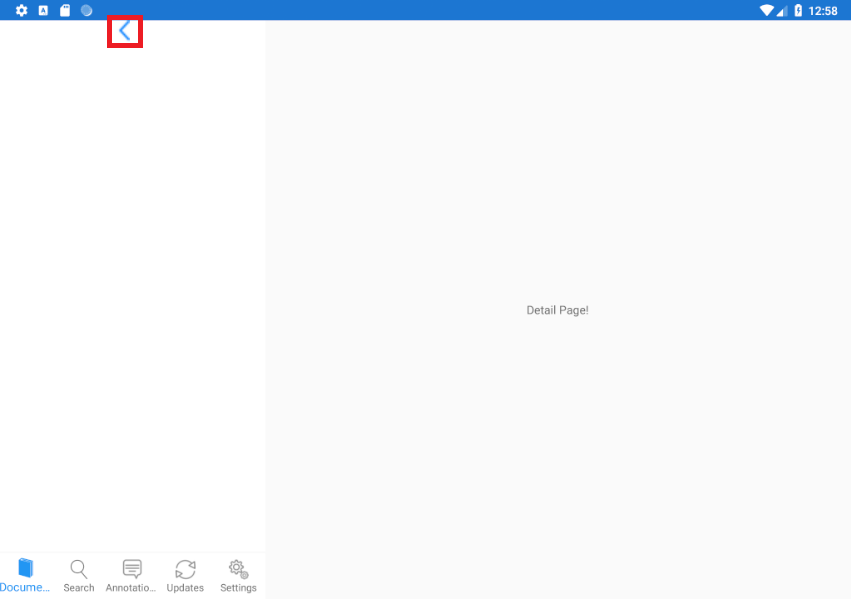
This is a Master-Detail Page and the Current Master's Behaviour is: SPLIT. Outlined in red there is a button with a back arrow. On pressing this button on the device I require the Master's behaviour to change to POPOVER and Disappear like this image:
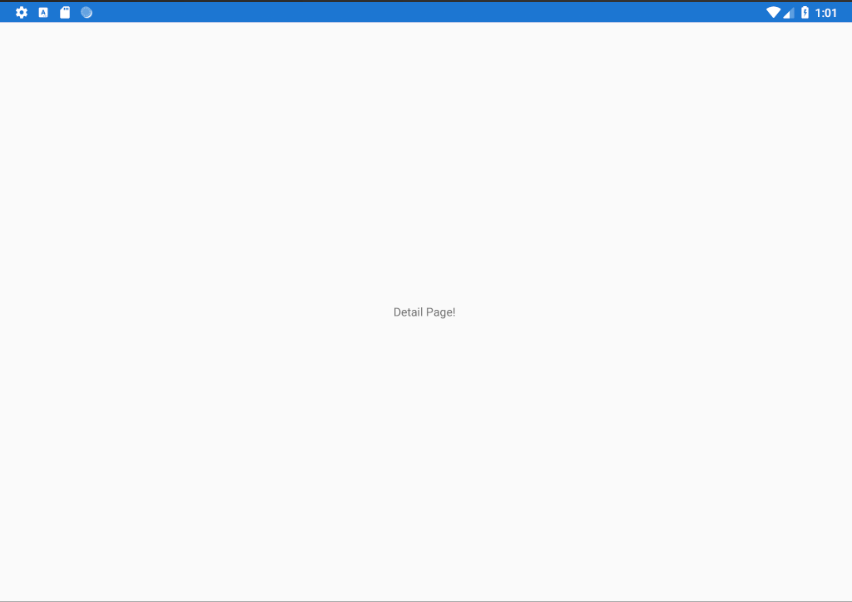
The user should then be able to slide out the panel like to make the screen look like the following image, and on pressing the backarrow again the user should be able to fix the screen back into MasterBehaviour type SPLIT.
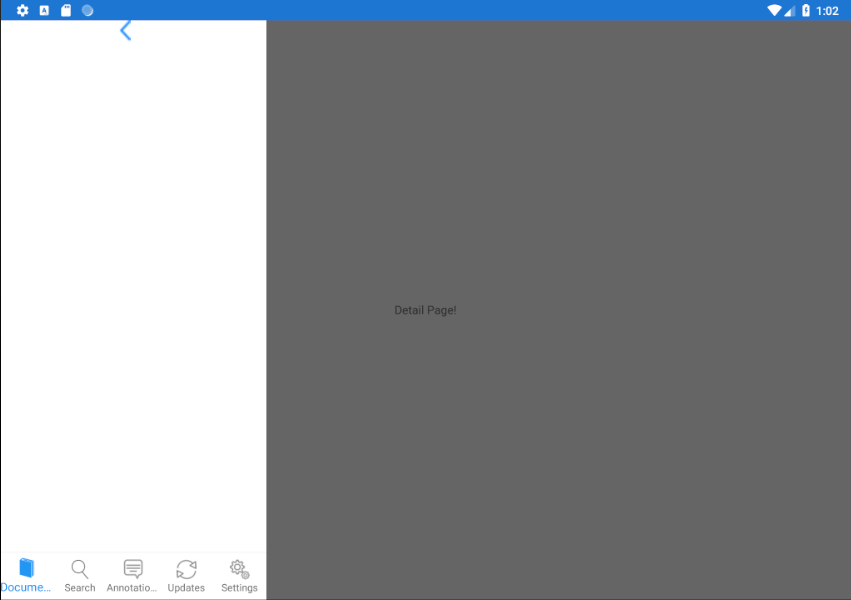
The issue I have is that when the application is running, I can change the Masterbehaviour variable, however the actual screen itself will not change, sometimes causes a crash stating that I cannot change the IsPresented variable when the master behaviour is changing.
One thing that may help is that if I press the back arrow button and then rotate the device, the screen will change to the correct Masterbehaviour. I assume this is due to the UI refresh that comes with it, is there anyway to do this refresh programatically without needing to rotate it.
Reproduction Link
A user on the Xamarin Forums created a reproducible repo:
https://github.com/RonnyBansemer/XamarinForms.MasterDetailPageBehaviorIssue