
e/4 :clock4:help wantedinactivep/iOS 🍎t/bug :bug:up-for-grabs
Repository metrics
- Stars
- (5,644 stars)
- PR merge metrics
- (No merged PRs in 30d)
Description
Description
From https://github.com/xamarin/Xamarin.Forms/issues/2798#issuecomment-401423464
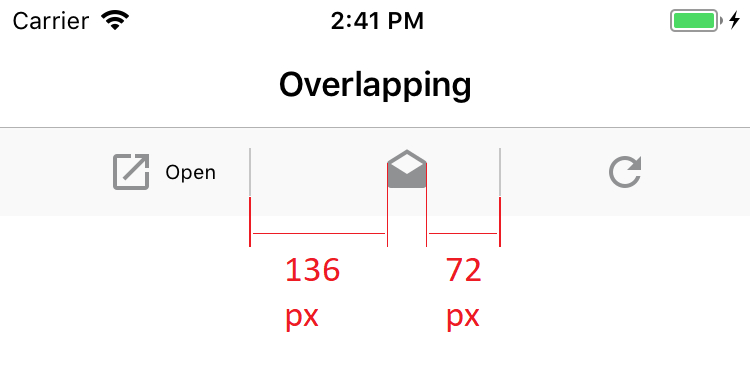
If you look at the toolbar meticulously, the centering would have to be corrected, as you can see on the screenshot. I know, xamarin forms is not intended to be a pixel perfect solution, but a discrepancy of 64 px is far away from pixel perfect. As this is immediately flashy for a detail-loving user, i would expect an correction.
Steps to Reproduce
- Create a Xamarin Forms App
- Create a Page with 3 or more Toolbar Items that have images
- Run it on iOS 11 Simulator or iPhone
Expected Behavior
Toolbar items are centered
Actual Behavior
Toolbar items are not centered
Basic Information
- Version with issue: 3.1.0
- Last known good version: n/a